
VENDOR NEUTRAL CONSULTING SINCE 1995
We can analyze, design and oversee implementation of your Electronic Content Management System. As an in depth and extensive vendor-neutral consulting service, we work with a wide range of client organizations throughout the United States and at the international level with clients from Australia, Malaysia, Mexico, Dominican Republic, Barbados, and Trinidad/Tobago.
 2021 RANSOMWARE AND DATA PROTECTION MEASURES
Trusted By These Quality Organizations
Since 1995, EID has assisted Public & Private sector Organizations. Contact us for a detailed client list.





















EID | Trustworthy Records Management Consulting Services
 Assessing Trusted Systems for Compliance with Industry Standards and Best Practices
Have you had an ISO 18829 compliant records assessment performed? Are your records being stored and managed as required by regulatory agencies and government codes and regulations?
Whether your organization is looking to evaluate an existing system that houses electronic document and/or records or is involved in document retrieval for litigation or regulatory purposes, EID’s experienced legal and technical staff can help you understand the vulnerabilities, risks and mitigation approaches. For more than two decades EID has been a leader in identifying and documenting the industry best practices as it relates to the systems that store electronic information.
Trustworthy Content Records Management

The electronic content/document management (ECM) industry is represented by AIIM International (Association for Information and Image Management). This association is the ANSI accredited standards setting body for the ECM industry, AND provides varying levels of accreditation for those people providing ECM related consulting and design services.
Our staff includes people with the highest accreditation available within the ECM industry: Laureate of Information Technology in Workflow and Laureate of Information technology in Document Imaging/Management. Additionally, other senior staff members have the MCSE certification, extensive networking experience associated with technical architecture and design and the CDIA accreditations,
There are approximately 30 people internationally who have both Laureate accreditations and approximately 70 people internationally who have a single Laureate. EID is managed by one of these people who have both accreditations thus ensuring the highest level of industry recognized skill and expertise.
If you don’t have a trusted electronic records system, your business or organization can face fines, compensation claims or business suspensions for a compliance breach. You have to keep your clients’ data safe.
 California State CMAS
Electronic Image Designers is pleased to provide services to the State of California through the California Multiple Award Schedule (CMAS) associated with Electronic Content Management Technologies including:
Information Technology Consulting Services – CMAS No. 3-06-70-0813B
CMAS Term Dates: 1/22/2009 through 12/31/2018
This CMAS Agreement provides State and Local Agencies a contracting vehicle focused on providing vendor neutral ECM related consulting services and provided by recognized industry experts at both the national and international levels.
 eDiscovery & ESI Forensics
Pre-Investigation/Litigation
- Assist with formulating ESI discovery strategies with legal counsel
- Suggest technical language to be inserted in discovery request
- Assist organizations in preparing for ESI discovery requests in anticipation of litigation or regulatory requests
Investigation
- Organize and oversee gathering of ESI for organizations subject to discovery or regulatory requests
- Evaluate materials produced to determine level of compliance
- Assist legal counsel in preparing for depositions or examinations related to the ESI production
Litigation Support
We evaluate technologies your organization has employed to store information. We provide expert testimony on the trustworthiness of the ESI.
What Clients Say About EID:
We hereby acknowledge and are satisfied the quality work delivered by EID consultancy throughout the contract period.We wish to thank EID for their dedication and their commitment in delivering their work.
Your invaluable inputs and guidance are very much appreciated.
The Housing Authority of the County of Alameda had the hard work of moving from a paper to a paperless environment. With a total of several million records, and the annual reexamination of hundreds of thousands, this transition was no easy task.We made the right choice when hiring Bob Blatt and the EID team. They have the experience and background in technology from assessment through installation of such a major process. More …
His major hallmark is his tried-and-true implementation methodology that has been honed by years of skill and experience. His methodology has become the foundation of AIIM guideline of best practices.You will be wise to use Bob Blatt services and that of EID when implementing a content and document management system. He brings years of experience to the table through both his work within the industry and knowledge through the AIIM standards committee. More …
I met EID nearly 20 years ago, at which point they were already an expert in the field of electronic forensic data analysis. I worked with them for several years on a significant nationwide securities fraud investigation involving numerous Wall Street investment banks that was initiated by state and federal securities enforcement agencies. The investigation required ongoing detailed analysis of the data provided during the investigation, including hundreds of thousands of emails produced in native format from the accounts of dozens of the bank’s investment banking employees. more …
Robert Blatt was in charge of the Assessment through the RFP process. He had a complete understanding of our business needs, company readiness, and document process. He successfully mapped out the workflow and its impact on each area. He was detailed, knowledgeable and disciplined through every step of the process.His contacts in the industry ran very deep, and his knowledge of document management is unsurpassed. I would absolutely choose to work with Bob Blatt and the EID team again. I give EID my highest recommendation. More …
I can’t speak highly enough about Robert Blatt and the EID team. His knowledge and experience has helped to guide us through a successful On-Base project implementation. Not only did the project go smoothly under his direction, but the EID team was able to bring the collision of IT and Records Management into an efficient and unified partnership.Robert was a guiding light, working right by our side to make sure that we made the right decisions, avoided pitfalls, and kept moving forward toward our goal. Robert stayed on our side, giving freely of his time, skills and extensive knowledge. Under his care, we were able to bring our content management system into the “Now.” More …
The Trustworthy Storage Technologies and Practices working group will be developing materials related to the planning, design and implementation of trustworthy storage technologies supporting reliability, authenticity, and integrity of information stored electronically.
Read more from:


Proven Experience & Tools Trusted For Legally Defensible Electronic Records Management
Many consulting firms prefer to simply provide the initial consulting services leading up to the design/implementation project phase. EID is one of the few who provides strategic planning, procurement assistance, and implementation support from a holistic project perspective. Combining this approach with the breadth of experience across industries and product technologies, EID is uniquely situated to work with clients to meet their particular needs, edging out the limited experience of general consulting organizations and those who only provide the services related to the initial project phases. EID’s experience allows each client to have a satisfactory implementation experience and satisfaction with the day to day function of the ECM solution.
AIIM publishes Case Study about EID’s Client HACA
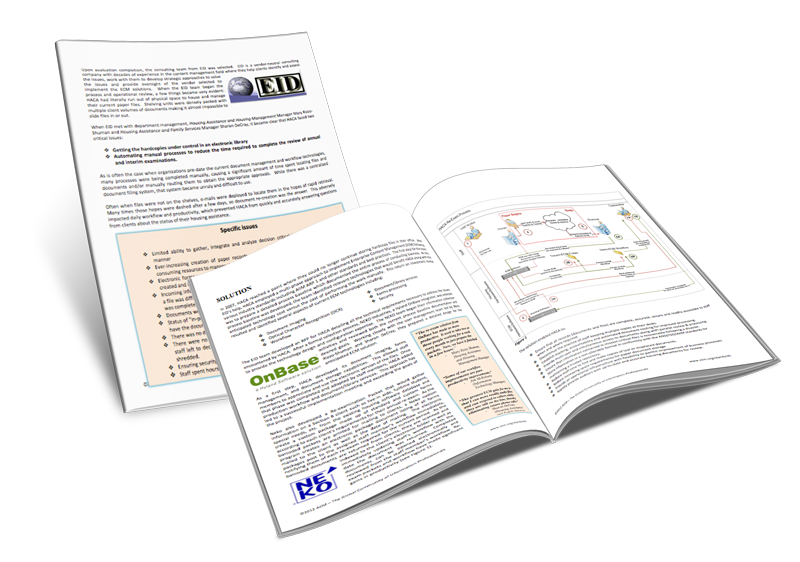
Learn how EID’s client, the Housing Authority of Alameda County (California), brought order to reams of office files through the successful implementation of ECM technologies, as reported in a case study published by AIIM.http://www.aiim.org/documents/standards/casestudies/HACA_Case_Study.pdf
In 2007, HACA was nearly overrun by files stacked in every nook and cranny of the organization. The improvements through implementation of the ECM system have resulted in several efficiencies in getting faster service to their constituents. “Some of our workflow improvements are pure productivity improvements,” said Information and Technology Manager Jim McRoberts.
Trust The EID Team
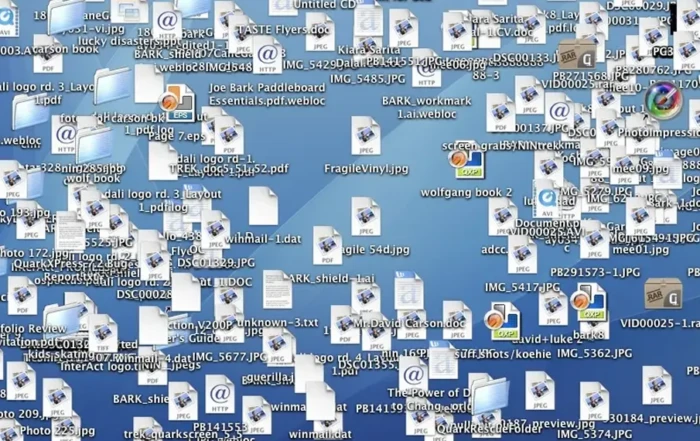
Feeling buried in an avalanche of revisions, versions, copies of reports, documents, contracts and files?
Losing time and money in document tracking, auditing, and retention?
Are you sensitive documents correctly stored and managed?
We help you find the document source – changing process and systems to streamline your documents that save your team time and your company money. Your secure documents remain secured in a legally-defensible electronic records management environment.